
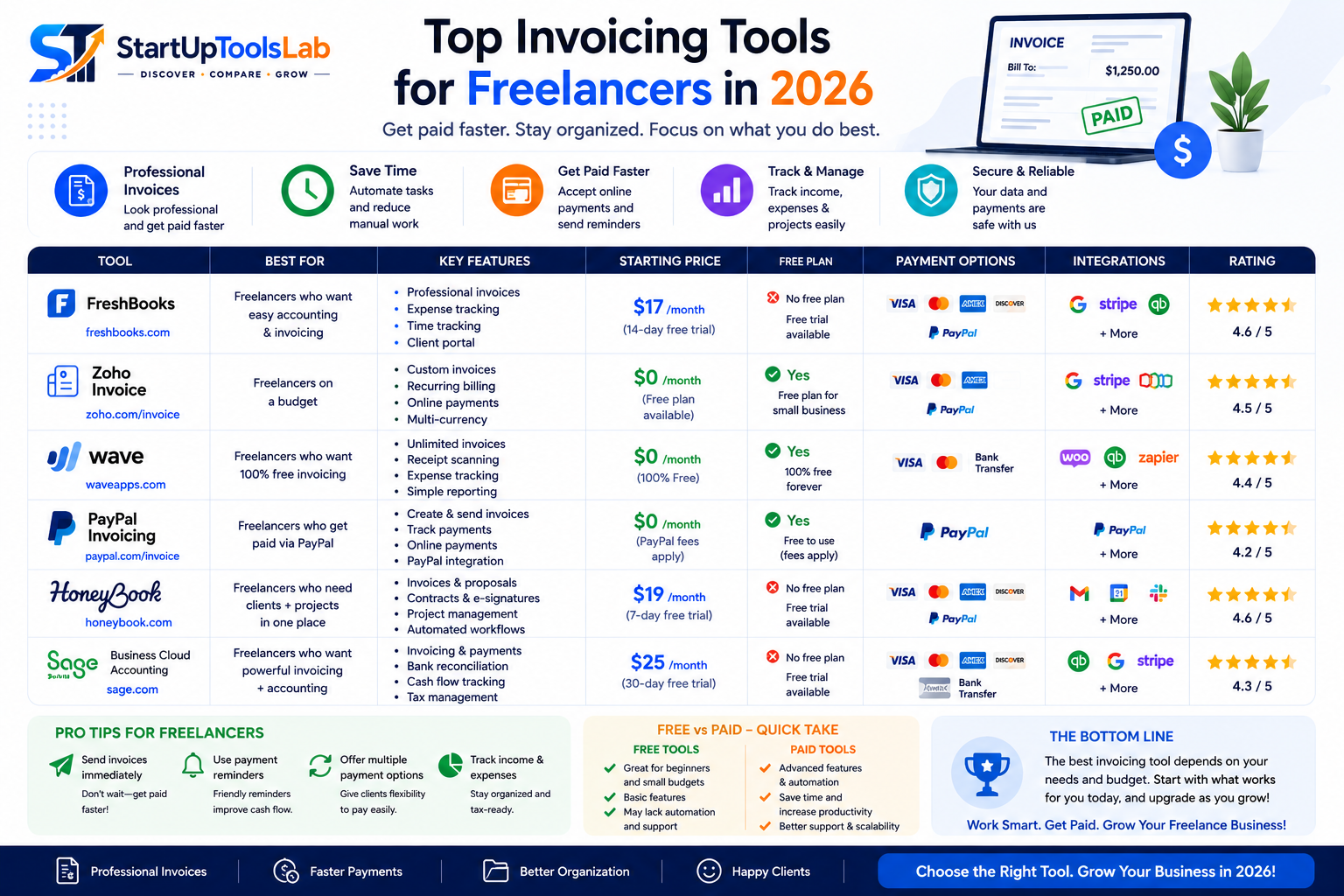
Top Invoicing Tools for Freelancers in 2026
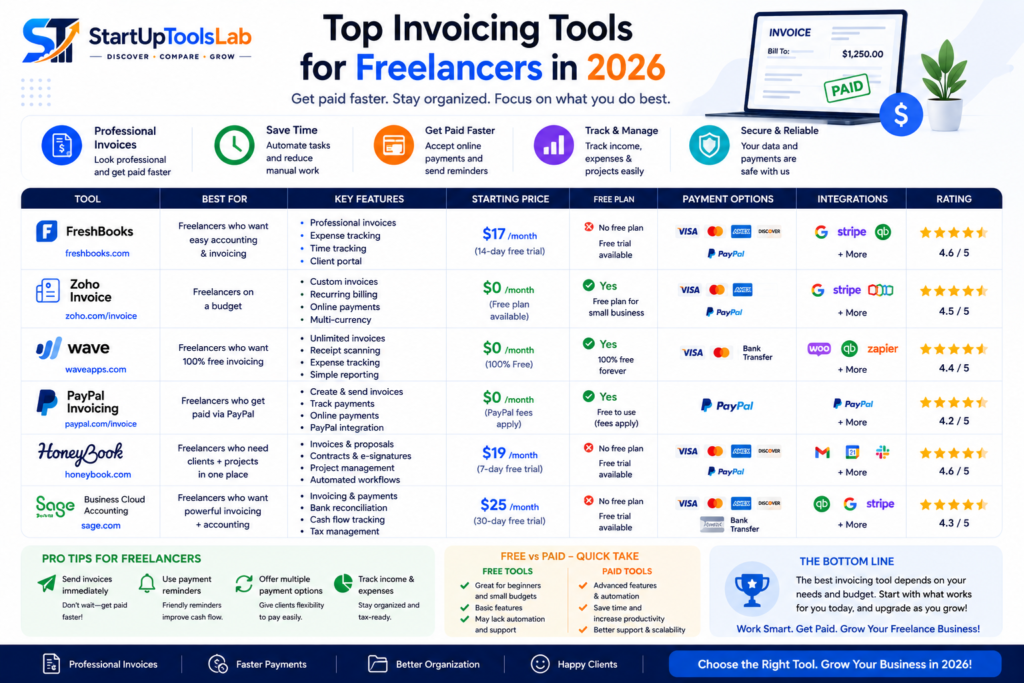
Freelancing offers flexibility, independence, and unlimited earning potential — but it also comes with responsibilities that traditional jobs usually handle for you.
One of the biggest challenges freelancers face is managing invoices, payments, expenses, and client billing professionally.
Sending manual invoices through spreadsheets or basic documents may work initially, but as freelance work grows, it quickly becomes time-consuming and unorganized.
That’s where invoicing software becomes essential.
Modern invoicing tools help freelancers automate billing, track payments, manage expenses, send professional invoices, and improve cash flow without requiring accounting expertise.
In 2026, invoicing platforms will have become smarter with AI-powered automation, payment integrations, recurring invoices, tax calculations, and client management features.
In this guide, we’ll cover the top invoicing tools for freelancers in 2026 and help you choose the right platform based on your freelance business needs and budget.
Why Freelancers Need Invoicing Software
Many freelancers underestimate the importance of professional invoicing systems.
A proper invoicing tool helps freelancers:
- Get paid faster
- Look more professional
- Automate recurring invoices
- Track overdue payments
- Manage client records
- Monitor income and expenses
- Simplify taxes
- Improve cash flow management
Using professional invoicing software also builds trust and credibility with clients.
What Makes a Good Invoicing Tool?
Before choosing a platform, freelancers should understand which features actually matter.
Important Features to Look For
Professional Invoice Templates
Well-designed invoices improve professionalism and branding.
Payment Integrations
Clients should be able to pay easily using cards, bank transfers, or online payment systems.
Expense Tracking
Tracking expenses helps freelancers understand profitability and simplify tax preparation.
Recurring Billing
Useful for retainers and monthly client work.
Automation
Automation reduces manual invoicing work and payment reminders.
Mobile Accessibility
Freelancers often work remotely, so mobile access is valuable.
Affordability
Budget-friendly pricing is important for freelancers and solopreneurs.
1. FreshBooks
FreshBooks is one of the most popular invoicing tools for freelancers and service-based professionals.
Its simplicity and clean interface make it extremely beginner-friendly.
Key Features
- Professional invoices
- Automated payment reminders
- Expense tracking
- Time tracking
- Client management
- Online payments
Why Freelancers Love FreshBooks
FreshBooks focuses specifically on freelancers and small service businesses, making invoicing simple and efficient.
It’s especially useful for freelancers managing multiple clients and projects.
Best For
- Freelancers
- Consultants
- Designers
- Writers
- Agencies
2. Wave
Wave is one of the best free invoicing tools available today.
Main Features
- Unlimited invoices
- Expense tracking
- Receipt scanning
- Financial reporting
- Payment processing
Why It’s Popular
Wave offers strong invoicing functionality without monthly subscription costs, making it ideal for freelancers starting out.
Best For
- New freelancers
- Solopreneurs
- Budget-conscious professionals
3. QuickBooks
QuickBooks combines invoicing and full accounting functionality into one platform.
Best Features
- Automated invoicing
- Expense management
- Tax tracking
- Financial reporting
- Payroll support
Why Freelancers Use QuickBooks
Freelancers planning to scale their businesses often choose QuickBooks because it offers long-term accounting capabilities beyond invoicing alone.
Best For
- Growing freelancers
- E-commerce freelancers
- Consultants
- Small agencies
4. Zoho Invoice
Zoho Invoice is one of the best affordable invoicing solutions for freelancers.
Features Include
- Custom invoice templates
- Automated reminders
- Time tracking
- Multi-currency invoicing
- Expense tracking
Why It’s Valuable
Zoho Invoice offers strong automation and customization at highly affordable pricing.
Best For
- Freelancers
- Remote workers
- International clients
- Small service businesses
5. PayPal Invoicing
PayPal remains one of the most widely used payment platforms for freelancers worldwide.
Key Features
- Quick invoice creation
- Online payments
- International payment support
- Payment tracking
Why Freelancers Use PayPal
Many clients already trust and use PayPal, making payment collection easier and faster.
Best For
- International freelancers
- Beginners
- Freelancers working with overseas clients
6. HoneyBook
HoneyBook combines invoicing with client management and business workflows.
Main Features
- Contracts
- Invoicing
- Scheduling
- Payment processing
- Workflow automation
Why It’s Popular
HoneyBook helps freelancers manage their entire client process from inquiry to payment.
Best For
- Creative freelancers
- Photographers
- Coaches
- Consultants
7. Bonsai
Bonsai is built specifically for freelancers and independent professionals.
Features Include
- Proposals
- Contracts
- Invoicing
- Time tracking
- Expense management
Why Freelancers Love Bonsai
It centralizes freelance business operations into one platform.
Best For
- Freelancers
- Creative professionals
- Developers
- Consultants
8. Stripe Invoicing
Stripe provides advanced online payment and invoicing solutions for freelancers and businesses.
Best Features
- Online invoice payments
- Subscription billing
- International transactions
- Payment automation
Why It’s Powerful
Stripe offers highly flexible payment processing and developer-friendly integrations.
Best For
- Tech freelancers
- SaaS consultants
- Online businesses
How to Choose the Right Invoicing Tool
Not every freelancer needs complex accounting software.
The best platform depends on:
- Client volume
- Budget
- Payment methods
- Tax requirements
- Automation needs
- Business growth plans
Best Invoicing Tool by Freelancer Type
Best Overall Invoicing Tool
FreshBooks
Best Free Invoicing Tool
Wave
Best for Full Accounting
QuickBooks
Best for Client Management
HoneyBook
Best for Freelance Business Management
Bonsai
Best for International Payments
PayPal
Common Invoicing Mistakes Freelancers Make
Many freelancers struggle with late payments because of poor invoicing practices.
Common Mistakes Include:
- Sending invoices late
- Using unprofessional invoice formats
- Not defining payment terms
- Forgetting follow-ups
- Ignoring expense tracking
- Mixing personal and business finances
Modern invoicing software helps automate many of these tasks and reduce payment delays.
Future of Invoicing Software in 2026
Invoicing tools are rapidly evolving with AI-powered automation and smarter financial workflows.
Modern platforms now include:
- AI-generated invoices
- Automated reminders
- Smart expense categorization
- Predictive cash flow analysis
- Subscription billing automation
- Real-time payment tracking
Freelancers using automation can spend less time managing finances and more time growing their business.
Final Thoughts
Professional invoicing tools are essential for freelancers who want to improve organization, get paid faster, and manage clients more efficiently.
The right platform can automate billing, simplify financial management, improve professionalism, and reduce administrative stress.
Whether you’re a writer, designer, consultant, developer, marketer, or creative professional, investing in the right invoicing software can help you build a more organized and scalable freelance business.
In 2026, freelancers using smart invoicing systems and automated financial workflows will have a major advantage in productivity and long-term business growth.